Introduction to Bible Book Tabs and Their Role in Study and Organization
For many readers, bible book tabs are more than decorative accents. They are practical tools that transform a bulky volume into a navigable, efficient study companion. Whether you are a diligent student of scripture, a pastor preparing sermons, or a casual reader aiming to deepen daily devotions, durable tabs can speed access to any book, chapter, or section without sacrificing readability or wear-and-tear. In this article, we explore the world of bible book tabs—from the materials that make them last to the systems you can implement to keep your study organized, legible, and portable. We will discuss edge tabs and index tabs, color systems, and practical installation tips, as well as DIY options that let you tailor tab sets to your unique Bible format.
The goal of our guide is to help you choose the right tab system for your use case—whether you study with a compact pocket Bible, a full-size study Bible, or a digital/physical hybrid. We will cover materials and durability, color-coding strategies, compatibility with various formats, and maintenance practices to extend tab life. By the end, you should feel confident selecting or creating a Bible book tab system that enhances readability, saves time, and supports consistent study habits.
Types of Bible Book Tabs: A Snapshot of Options
There is a broad spectrum of tab styles designed to suit different preferences, Bible sizes, and study aims. Below is a survey of common tab configurations you may encounter, along with the advantages and limitations of each. Think of these as tab families and match them to how you read, study, and preach.
Adhesive Tabs
Adhesive Bible tabs are among the most popular for their temporary-to-permanent versatility. They typically come as sheets of pre-scored tabs or as self-adhesive labels that you can apply to the pages. This category often includes clear or colored labels that you attach near the top or side margins. The primary strengths are ease of application, minimal page bulk, and availability in many colors and fonts. The main caveat is that poorly rated adhesives can lift with frequent flipping or exposure to oils from fingers; to mitigate this, look for tabs with permanent adhesive options or use a light sealant protector on the page edge first.
Quick installation with minimal tools
Great for portable Bibles and travel kits
Varied fonts and color choices to convey meaning or priority
Vinyl Tabs
Vinyl tabs are known for durability and a smooth, low-profile feel that doesn’t add bulk to thin pages. They often come as self-adhesive tabs with a clear top layer and sturdy backing, sometimes with a slightly flexible edge that reduces tearing risk. Because vinyl can be transparent, the underlying book text remains visible, which is helpful for quick recognition.
Excellent wear resistance in daily use
Available in matte or glossy finishes
Suitable for high-use study Bibles and reference collections
Magnetic Tabs
Magnetic Bible tabs attach via small magnetized edges or strips that cling to the page margins without adhesive. They’re attractive for non-destructive removal and can be reset or repositioned as your study needs evolve. Magnetic tabs may be slightly bulkier, so they suit Bibles with room in the margins or those with flexible covers. A potential drawback is that magnets can irritate sensitive readers if left in contact with skin or if the Bible is carried in a bag that could attract metal objects.
Removable without residue
Ideal for frequently revised study plans
Better in larger Bibles where margin space is ample
Edge Tabs and Tabbed Page Markers
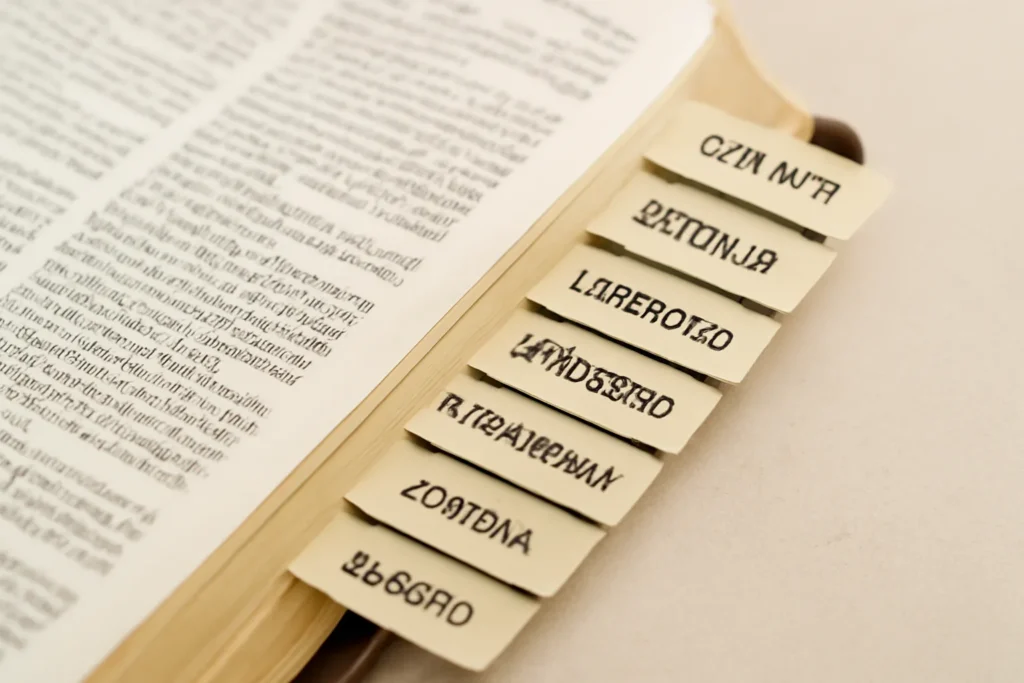
Edge tabs and tabbed page markers extend from the outer edge of pages to give a quick visual cue for a particular book. Edge-tab systems often feature bold color coding so you can locate sections at a glance while the Bible remains closed. This style is particularly popular for classroom settings, sermon prep, or group Bible studies where quick, repeated navigation is a must.
Fast access with minimal distraction
Great for instructors and group leaders
May require more precise alignment during inserting to ensure consistent edges
Printable and DIY Tabs
For those who want complete control over style, printable and DIY tabs offer a customizable approach. You can design, print, and cut your own tabs to any font, color, or label format. This option is excellent for households with several Bibles in different sizes or for those who want to experiment with color-coded systems and symbol-based markers without buying multiple pre-made sets. Printable tabs often require a source of printable label stock and a good cutting tool to achieve clean edges.
Ultimate customization for color, font, and size
Cost-effective for large families or groups
Requires careful measurement and alignment to avoid misprints
Materials and Durability: What Makes Tabs Last
When you’re organizing a study Bible or a sermon-prep toolkit, you want materials that endure, not just a pretty appearance. The durability of bible book tabs depends on both the substrate (the material the tab is made from) and the adhesive or fastening method. Here are the common materials you’ll encounter and what to look for.
Paper-Based Tabs
Paper-based tabs are often the most economical option. They can be printed or printed-on with colored ink and then laminated or coated to resist wear. The durability of paper tabs improves significantly when they are laminated or coated with a thin protective layer. However, even with coating, paper tabs can be more prone to creasing or tearing at high-use margins.
Lightweight and inexpensive
Easy to print and customize
Best for light-to-moderate use and personal Bibles
Laminated and PVC/Vinyl Tabs
Laminated or PVC/vinyl tabs provide greater resistance to moisture, oils, and repeated finger contact. Laminated options are especially popular in study Bibles that receive daily use, as the laminate adds a protective layer over the ink. Vinyl-backed tabs offer similar protection with a little extra flexibility, which helps prevent cracking at fold points.
Water-resistant and oil-resistant
Longer lifespan in busy study environments
May be more expensive than standard paper tabs
Magnetic and Non-Adhesive Options
Magnetic tabs provide a noteworthy advantage in terms of reusability, but they require a compatible setup on the page margins. The magnets themselves are typically small and light, but ensure they won’t interfere with any other metal items or devices you carry with the Bible. Non-adhesive options, including magnetic or clip-on designs, can offer >{quote} flexibility and longevity for frequent adjustments.
Eco-Friendliness and Sustainability
For environmentally conscious readers, there are eco-friendly tab options that use recycled paper stock, soy-based inks, or plant-based laminates. If sustainability is a priority, look for products that explicitly advertise low VOC inks and recycled materials. You can also consider a DIY route using recycled paper stock and a water-based laminate for a more sustainable setup.
Color-Coding and Systematic Organization: Making Tabs Work for You
A well-thought-out color system can turn a cluttered Bible into a navigable map of scripture. Color-coded tabs reduce cognitive load, accelerate locating books, and help beginners memorize the layout of the Bible more quickly. Below are common strategies and best practices for implementing color-coded and labeled tab systems.
There are two primary ways to arrange Bible books: the canonical order, which follows the traditional sequence of books as they appear in most Bibles, and the modern order that some study editions adopt to emphasize groups like Pentateuch, Historical Books, Wisdom, Major Prophets, Minor Prophets, Gospels, Pauline Epistles, General Epistles, and Revelation. Tabs can be color-coded to reflect either approach, but you should maintain internal consistency so that the system remains intuitive.
Color Schemes That Aid Learning
A thoughtful color system can reinforce memory and reduce search time. Common color groupings include:
Blue for the Pentateuch (Genesis–Deuteronomy) to signal foundational narrative material
Green for Historical Books (Joshua–Esther) to evoke the journey motif
Gold or amber for Poetry and Wisdom (Job–Song of Songs, Proverbs, Psalms)
Purple for Major Prophets (Isaiah, Jeremiah, Ezekiel, Daniel)
Orange for Minor Prophets (Hosea–Malachi)
Red for the Gospels (Matthew–John) to reflect the central narratives of Christ
Teal for Acts and Epistles in the New Testament (Acts, Romans–Philemon, Hebrews–Jude)
Grey for Revelation as a distinct prophetic-apocalyptic section
Labeling Conventions
In addition to color, consider using clear textual labels on tabs such as GEN, EXOD, LEV, or full-book names like Genesis, Exodus, etc. Some readers prefer abbreviations that fit compact tab widths; others favor full names for clarity, especially for beginners. A third approach combines color with icons—such as a small book-like symbol or a tiny cross for the Gospels—to provide quick visual anchors beyond text alone.
Label Placement and Legibility
Place labels consistently on the same edge of the tab, typically the top or outer edge, so you can locate them without flipping the Bible open. For edge-tab systems, ensure the label is visible when the Bible is closed. For adhesive labels, apply with care to avoid air bubbles and ensure an even seal. If you use printed tabs, select a legible font—bold sans-serif fonts are usually best for quick glances in a busy study environment.
Using Tabs in Different Bible Formats: What Works Where
Different Bible formats demand different tab solutions. A compact pocket Bible will require narrow, low-profile tabs that do not overwhelm thin margins. A large study Bible can accommodate wider, thicker tabs and more elaborate color coding. Below are guidelines for common formats.
Pocket and Compact Bibles
For pocket Bibles, narrow adhesive or edge tabs are essential. These should minimize page bulk while staying legible. Consider lightweight vinyl or finely printed paper tabs with a simple color system. If you frequently carry the Bible in a bag, water-resistant or laminated tabs can resist moisture exposure.
Standard, Medium, and Large Study Bibles
In more generous formats, you can introduce a broader palette of colors and more descriptive labels. A study Bible often includes additional features like concordances and maps; you might add extra tabs for concordance sections, maps, or appendices in addition to the canonical book tabs. For these, consider both color-coding and icon-based markers to keep navigation intuitive even when you’re flipping quickly.
Giant Reference Bibles and High-Quantity Editions
In Bibles with many pages and a large number of sections, you may want to treat subsets of the New Testament or the Old Testament in sub-tabs. This can include separate book tabs for major sections (e.g., OT, NT) or a dedicated tab cluster for each group. In such cases, it’s helpful to maintain a master index tab at the front of the Bible for quick cross-reference.
Installation and Maintenance: Applying Tabs Correctly
Mastering the application and upkeep of Bible tabs ensures your investment lasts and that the tabs perform as intended. Below are practical steps and best practices for installation, care, and adjustments over time.
Preparation Before Application
Before you apply any tab, inspect the pages for cleanliness and dryness. Oils from hands or moisture can reduce adhesive performance. Some users lightly wipe the page margins with a clean microfiber cloth and allow the page to air dry. If you are using adhesive tabs, consider applying a tiny drop of glue at the tab’s bottom corner to ensure a stronger seal, but avoid applying glue to the entire tab. For printable tabs, you may want to print on water-resistant stock or seal the printed tabs with a clear laminate.
Step-by-Step Application Guide
Decide on a consistent edge for tab placement (top edge, side edge, or outer margin).
Align the tab with the correct book name or abbreviation before pressing down to prevent misalignment.
Press firmly from the center outward to reduce air pockets and ensure a clean bond.
Test pull on a small section of adhesive tabs to confirm the tab remains affixed after several pages are turned.
Limit tab exposure to moisture and direct sunlight to prevent adhesive deterioration and fading.
Check tabs quarterly and re-seat or replace ones that lift at corners.
For non-adhesive magnetic tabs, periodically test the magnetic strength and re-align as needed.
Store Bibles in a cool, dry place to maintain adhesives and tab integrity over years.
Removal and Reassignment
If you decide to reorganize or move to a new color-coded system, you can remove tabs with care. For adhesive tabs, use a small amount of adhesive remover or simply peel slowly at a shallow angle to minimize page damage. If tabs are magnetized, you can detach and reattach them without leaving residue. For printable tabs, you can reprint and reattach with caution, ensuring the margin remains intact.
DIY and Printable Tabs: A Path to Personalization
A DIY approach to Bible tabs opens a world of customization: font choices, color palettes, symbols, and sizes can be tailored to the reader’s preferences. Below are practical considerations for anyone who wants to design their own tab system from scratch or adapt an existing template.
When designing your own tabs, keep these principles in mind:
Legibility is paramount: choose high-contrast color combinations and clean typefaces.
Consistency across all tabs makes navigation intuitive.
Size balance between tab width and margin width to avoid crowding.
Protective coating (laminate or varnish) to shield ink and color from wear.
Printing Options
If you decide to print your own tabs, you can print on adhesive label stock or create tabs on heavy-weight card stock with a clear laminate. For best results, design a template that includes a margin outline for cut lines, so your final tabs align perfectly with each book’s width.
Software and Template Recommendations
There are many design tools suitable for tab creation, from simple word processors to vector graphics programs. A template that includes a defined tab width, height, and rounded corners can facilitate clean cuts. If you are not comfortable creating a template from scratch, you can search for community-tested Bible tab templates that are compatible with your printer and stock choice. Always print a test sheet before committing to the final stock.
Creative Variations for Visual Identity
To enhance semantic breadth, you can introduce variations that reflect themes or study goals, such as:
Thematic tabs for passages on faith, grace, or prophecy
Personality-driven colors to match your devotional mood (e.g., calm blues for morning devotions, energizing reds for gospel study)
Icon-based markers representing sermon topics or key terms
Organization Strategies: Building a Tab System That Fits Your Life
The most effective tab setup is the one you will actually use. Here are practical strategies to build and maintain a system that supports consistent Bible study, sermon planning, and classroom teaching.
Base Framework: Order and Scope
Start by choosing the scope of your tabs. Do you want to tab every book, every major section, or only the parts you use most often? For many, a base framework includes tabs for each Bible book in canonical order, with additional tabs for major sections like Concordance, Maps, and Appendices. If you prefer a more thematic approach, you can create a system that groups books by literary style (Law, History, Poetry, Prophecy, Gospels, Epistles) and assign color to each group.
Color Implementation: Consistency and Accessibility
A robust color system should be clear and reproducible. If you study with others, decide on a color palette and document the meanings in a shared guide. For accessibility, consider color-blind friendly palettes and also rely on textual abbreviations or icons so that color alone is not the sole cue.
Labeling Variants and Abbreviations
Decide whether to use full book names, standard abbreviations (e.g., GEN, EXOD, LEV), or a combination. For grouped tabs, you may label the group (e.g., OT for Old Testament, NT for New Testament) and then add sub-tabs for each book. Create a quick reference index at the front of the Bible to help new readers memorize the system.
Implementation in Shared Environments
In classrooms or church study groups, a shared tab system reduces confusion. Agree on:
Consistent color mapping for each book group
A standardized font and label format
A common index or quick-start guide for new participants
Care, Longevity, and Practical Benefits
Durable Bible book tabs deliver concrete benefits for study efficiency and user experience. Here are some practical outcomes you can expect from investing in high-quality tabs and maintaining them properly.
Speed and Efficiency in Navigation
When you know where to find a book at a moment’s notice, you save minutes during Bible study, sermon prep, or teaching sessions. This speed reduces interruptions and helps you stay focused on interpretation rather than page-finding.
Improved Focus and Retention
Color-coding and labeled tabs create consistent visual anchors. This consistency can improve recall and comprehension as you move between texts, aiding in the formation of mental maps of scripture.
Durability and Value
Investing in durable tabs pays off over years of use. While cheaper tabs may seem attractive upfront, higher-quality materials and adhesives reduce the need for frequent replacements and minimize the risk of tearing pages or losing tabs mid-study.
Adaptability Across Study Scenarios
Tabs support multiple study modes, including personal devotions, group Bible study, and sermon development. For example:
In personal devotions, you can keep the Gospels and Epistles clearly labeled for quick cross-reference during reflection
In group studies, color-coded books help participants navigate and discuss passages without constant guidance from the facilitator
When preparing sermons, you can quickly assemble cross-references and related passages by visual cue rather than flipping through the Bible
Common Mistakes and How to Avoid Them
Even well-intentioned tab setups can run into issues. Here are frequent mistakes and practical fixes to keep your system clean and functional.
Overloading Tabs with Information
A tab should be a gateway, not a wall. Try to keep each tab to a single book or a small cluster of consistent content. If you try to pack too much data onto a single tab, readability suffers.
Inconsistent Labeling
Inconsistent abbreviations or mixed labeling conventions create confusion. Establish a standard at the outset and document it for all users. If you already have multiple systems in play, consider a phased migration to a single standard.
Poor Adhesive Performance in Damp Environments
Moisture can degrade adhesives quickly. If you study in humid climates or travel with damp gear, opt for water-resistant laminated or vinyl tabs, or use magnetic tabs that avoid direct adhesive exposure.
Neglecting Maintenance
Tabs can accumulate dust, oils, and wear. Schedule quarterly checks to re-seat lifting corners, replace worn tabs, and refresh color codes if they have faded.
Case Studies: Real-World Applications of Bible Book Tabs
The following short case studies illustrate how different users benefit from adopting a thoughtful tab system.
Case Study A: Seminary Student Using Edge Tabs
A seminary student who studies multiple Bible versions uses a color-coded edge tab system to rapidly locate the same book across editions. The tabs are magnetic to avoid adhesive residue on pages with high page-turn frequency. The student also uses a small front index for cross-reference, which reduces lookup time during lectures and exams.
Case Study B: Church Group with Printable Tabs
A church small group opts for DIY printable tabs on heavy stock. They agree on a simple color scheme and use bold abbreviations with optional icons. The front index is a distributed sheet that counselors and cluster leaders can reference during sessions. The result is a consistent and memorable navigation system that is easy to replicate in new groups.
Case Study C: Family Bible with Multi-User Tabs
A family purchases a set of durable vinyl tabs for their family study Bible. Each member uses a different color, and a shared index at the front maps colors to family members’ study plans. The family uses edge tabs for quick page access and prints a small daily plan of passages to locate by color in the margins.
Bible book tabs are a practical, often underappreciated tool for improving study efficiency, sermon prep quality, and overall organization. With careful choice of materials, a thoughtful color-coding scheme, and a robust labeling system, tabs can transform a bulky Bible into a responsive, user-friendly companion. Whether you prefer adhesive, vinyl, magnetic, edge-based, or DIY printable tabs, the key is to align your tab system with your actual study habits, the physical format of your Bible, and your long-term goals as a reader and student of scripture.
As you begin or refine your tab setup, start with a simple plan: pick a navigation edge, decide on a color scheme, label your books clearly, and commit to a consistent layout. Over time, you can adjust the system to reflect changes in your study routine, new Bible formats, or evolving study topics. The result is a more organized study routine, less time spent hunting passages, and a more focused engagement with the text.
If you want to take the next step, consider testing a few different tab styles side-by-side or compiling a short trial set with your most-used books. You may discover that a hybrid approach—combining edge tabs for quick access with adhesive or printable labels for more detailed labeling—offers the best balance of durability, readability, and flexibility for your personal Bible study journey.











Leave a Reply